

How Does a VPN Change Your IP Address? A Simple Guide
Zafruddin Shaik
Cybersecurity
Published on
6 min read
How Does a VPN Change Your IP Address?
Every time you connect to the internet, your device uses an IP address that helps identify its connection to a network. This address can reveal information such as your approximate location and internet service provider. If you want more privacy while browsing, a Virtual Private Network (VPN) can help by routing your internet traffic through a VPN server. But how does a VPN change your IP address, and what happens behind the scenes? Understanding this process can help you make better decisions about online privacy, security and internet access.
What Is an IP Address?
An IP address, short for Internet Protocol address, is a numerical label assigned to a device or network connection. It helps internet traffic reach the correct destination, allowing websites and online services to communicate with your device. Your public IP address is generally assigned by your internet service provider or network operator. Websites can use it to estimate your approximate location, identify your network and apply certain access restrictions. However, an IP address does not necessarily reveal your exact home address or identify you personally on its own.
How Does a VPN Change Your IP Address?
A VPN changes the public IP address that websites generally see by routing your internet traffic through a VPN server. The process involves several steps.
1. You Connect to a VPN Server
When you open your VPN application and choose a server, the app establishes a connection between your device and that server. The connection uses a VPN protocol to create a protected tunnel for supported internet traffic. Depending on the application and settings, the VPN may connect automatically or allow you to select a server location manually.
2. Your Internet Traffic Travels Through the VPN
Once the connection is established, your internet traffic is routed through the VPN server instead of going directly from your device to the destination website. Traffic travelling through the VPN tunnel is encrypted between your device and the VPN server, helping protect it from being easily read by people monitoring the local network.
3. Websites See the VPN Server’s IP Address
When you visit a website through the VPN, the website will generally see the public IP address of the VPN server rather than your original public IP address. For example, connecting to a VPN server in London may make your connection appear to come from that server. This can help conceal your usual public IP address from the websites you visit, although other information may still reveal your identity or location.
4. Your Original IP Address Is Hidden from the Destination Website
When traffic is correctly routed through the VPN, the destination website generally receives requests from the VPN server’s IP address. Your internet service provider can still see that you are communicating with a VPN server, but encryption can limit its visibility into the contents of traffic inside the tunnel. The exact information visible to different parties depends on your configuration, DNS settings and whether any traffic bypasses the VPN.
Why Do People Use a VPN to Change Their IP Address?
There are several reasons someone might want websites to see a different public IP address.
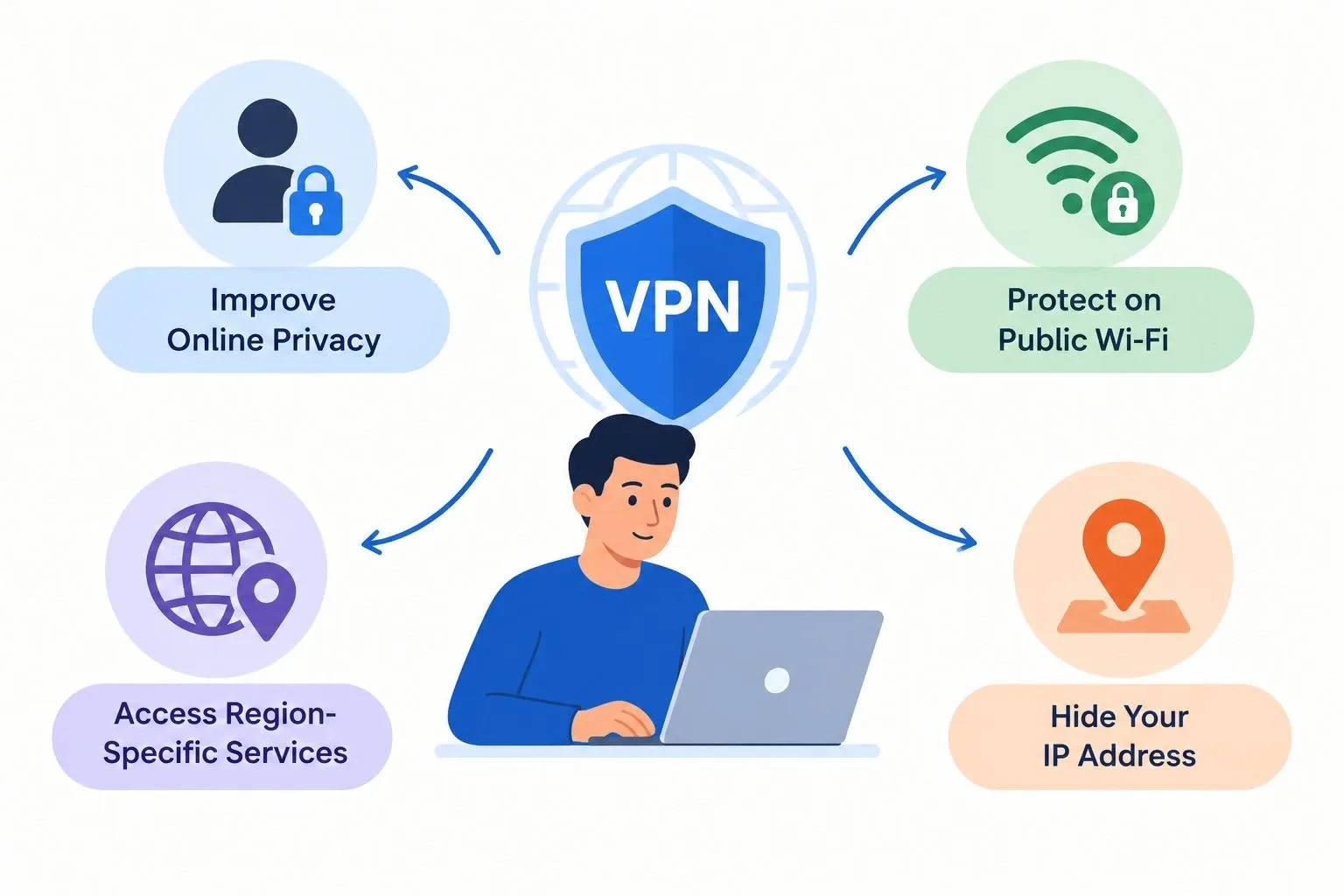
Improve Online Privacy
A VPN can help prevent destination websites from directly seeing your usual public IP address. This may reduce some forms of IP-based tracking, although cookies, account logins, browser fingerprinting and other techniques can still identify or track users.
Protect Connections on Public Wi-Fi
Public Wi-Fi networks in hotels, airports and cafés may expose users to certain network-related risks. A properly configured VPN encrypts traffic travelling through its tunnel, helping protect that traffic from local network observers. It does not replace HTTPS, device security or careful browsing.
Access Region-Specific Services
Connecting to a VPN server in another country may make your connection appear to originate from that location. Some websites and services use IP addresses to determine regional availability. However, changing your IP address does not guarantee access because services may also check account details, GPS information, payment methods or other location signals. Always follow the applicable terms and local laws.
Does a VPN Make You Completely Anonymous?
No. A VPN can improve privacy by hiding your usual public IP address from destination websites and encrypting traffic between your device and the VPN server. However, it does not remove every way of identifying you online.
Websites may still recognise you through account logins, tracking cookies, browser fingerprints and information you voluntarily provide. Your VPN provider may also process certain connection information, depending on its infrastructure and privacy policy. For this reason, it is important to review the provider’s data-handling practices rather than assuming that changing your IP address guarantees anonymity.
How to Check Whether Your VPN Has Changed Your IP Address
You can check your public IP address before and after connecting to a VPN.
- Open a reputable IP-checking website without connecting to your VPN and note the displayed public IP address.
- Connect to your preferred VPN server.
- Refresh the IP-checking website.
- Compare the displayed addresses. If the VPN is routing your traffic correctly, the public IP address shown should generally match the VPN server’s address or another address used by the provider.
If your original IP address still appears, check that the VPN is connected and that your traffic is routed through it. DNS or IPv6 leaks and split-tunnelling settings can affect what is exposed, so consider using reputable IP and DNS leak tests if you suspect a problem.
Final Thoughts
A VPN changes the public IP address that websites generally see by routing your internet traffic through a VPN server. This can help improve privacy, protect traffic on public Wi-Fi and make your connection appear to originate from another location. However, a VPN does not guarantee complete anonymity or protect against every online threat. Choose a reputable provider, review its privacy policy, keep your VPN application updated and use other security measures to protect your accounts and devices.
FAQs
1. Does a VPN change my IP address automatically?
Your public IP address generally changes from the destination website’s perspective once your VPN connects successfully and routes your traffic through a VPN server. The result depends on the app’s settings and connection configuration.
2. Can a VPN hide my IP address from websites?
Yes. A properly configured VPN generally makes websites see the VPN server’s public IP address instead of your original public IP address. Other tracking methods may still identify you.
3. Does changing my IP address change my physical location?
It can change the approximate location associated with your public IP address. However, it does not physically move your device, and websites may use GPS, account details or other signals to estimate your location.
4. Can my internet service provider see my IP address when I use a VPN?
Your internet service provider can still identify your internet connection and generally see that you are connecting to a VPN server. A VPN helps protect the contents of traffic inside its encrypted tunnel, but it does not make all connection information invisible.
5. Is changing my IP address with a VPN safe?
Using a reputable VPN with secure settings can help improve online privacy. However, it does not guarantee complete security or anonymity. Choose a provider with transparent privacy practices and continue using strong passwords, software updates and other security measures.